App
Choose a safe way to install the Mahjong Ways app
Updated 26 October 2026 · Data: official PG Soft documents, public demo
Mahjong Ways app searches often lead to APK files, but PG Soft has no confirmed standalone APK for Mahjong Ways or Mahjong Ways 2. Both games use HTML5 and can open in a mobile browser or within a gaming platform app. This Philippines guide explains safer access options, home-screen shortcuts, Android permission checks and what to verify before using a platform.
01 · App
Mahjong Ways app: what you can download
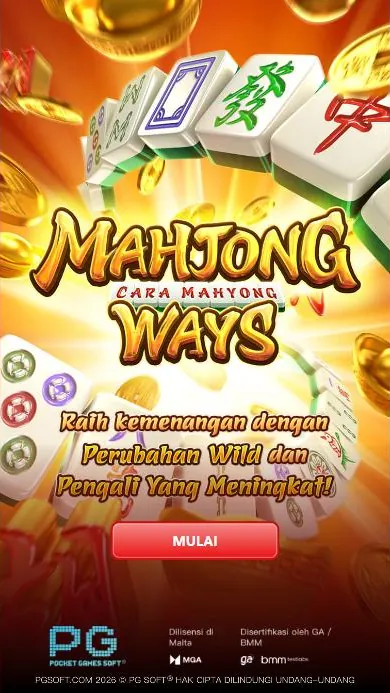
PG Soft’s Mahjong Ways and Mahjong Ways 2 are HTML5 games, not confirmed standalone apps for Android. There is no official standalone Mahjong Ways APK from PG Soft in the information checked for this guide. You can access a game through a mobile browser or, where offered, inside a gaming platform’s app. The games do not have their own accounts: registration and login belong to the platform hosting them.
For the official game information, see PG Soft’s game page. You can also open the public demo to see the game interface. A demo is not a separate Mahjong Ways app, and using it does not verify that a particular third-party platform is licensed or suitable for you.
Search results may label an APK as an official download, modified version, hack or predictor. Unofficial files can contain malware, fake modifications or tools that seek to steal personal or account data. A download page using PG Soft’s name or a familiar-looking logo is not proof that the file came from the developer. Avoid APK files from unknown websites, messaging groups and file-sharing links. Do not install a supposed hack or predictor: spins are generated randomly and each spin is independent, so patterns cannot reliably predict results.
02 · App
APK: checks before installing the game
An APK is an Android installation file. Before installing any gaming platform app, check that you reached the platform through its verified domain and that the app’s publisher and source match information provided by that platform. This guide does not provide an APK download link, and it cannot confirm the safety of apps offered by third parties.
Use this Android permissions checklist before proceeding:
- Check the app name, publisher and download source. Stop if the page disguises an unofficial file as a PG Soft app.
- Read the requested permissions before installation and again when Android asks for access. Consider whether each request is needed for the stated function.
- Be cautious if an app requests access to contacts, text messages, accessibility services or other sensitive features without a clear reason. Decline permissions you do not understand; do not continue if the app makes unnecessary access a condition of use.
- Do not switch off device security protections to install an unknown file, and do not enter account details into a page reached from a suspicious download prompt.
- If you already installed a file you cannot verify, remove it, review your device’s app permissions and change affected account credentials using the platform’s verified site.
These checks reduce avoidable risk but do not certify an app as safe. For steps on platform accounts, see login and registration information. Do not reuse a password from another service, and keep sign-in details private.
03 · App
Mahjong Ways download through a mobile browser
Opening the game in a browser avoids installing a separate Mahjong Ways APK. If you want an icon on your phone, a browser can offer an option to add the site to the home screen. This creates a shortcut to a web page; it does not turn the game into an official PG Soft app. Menu wording can vary by browser and device.
Android with Chrome
- Open Chrome and type the verified platform’s web address yourself, or use a trusted bookmark. Check the domain before signing in.
- Open the game page. Confirm that it is the intended game and that the page is served by the platform you chose.
- Open Chrome’s three-dot menu and choose Add to Home screen or the equivalent option shown on your device.
- Review the shortcut name and confirm. Later, the icon opens the saved web address; it does not verify the platform, its permissions or its legal status.
iPhone with Safari
- Open Safari and enter the verified platform web address. Check the domain before entering account information.
- Open the relevant game page, then tap Safari’s Share button.
- Choose Add to Home Screen, review the shortcut name and confirm.
- Use the new icon as a shortcut to the website. It is not a native PG Soft Mahjong Ways app, and you may still need to sign in through the platform.
If the page does not load or the home-screen option is absent, use the browser normally rather than downloading an APK from an unrelated site. The how to play guide explains the game controls separately from the process of opening it on a phone.
04 · App
Mahjong Ways on Android and iPhone: display and performance
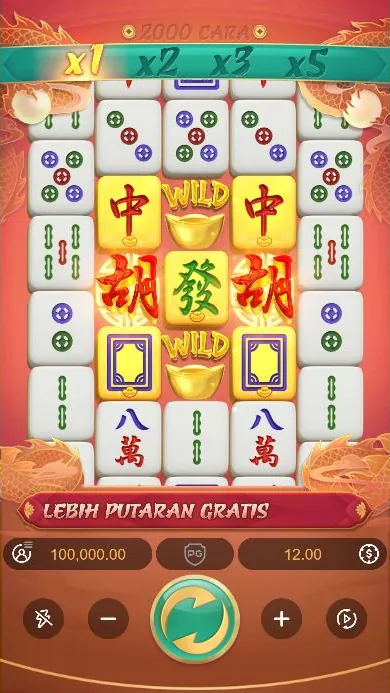
PG Soft lists iOS, Android, HTML5, MacOS and Windows as supported platforms. The optimal display specification is 1080x2340 in portrait orientation, with a 19.5:9 aspect ratio. This is a display specification, not a promise that every phone will show the same performance or layout. In the public demo, the game can be viewed in a mobile browser; a gaming platform may also provide access inside its own app.
For a more stable session, close browser tabs and apps you are not using, keep the browser and device software updated, and use a reliable internet connection. If the reels pause, the display becomes unresponsive or the browser reloads, stop rather than repeatedly tapping controls. Check the connection, refresh the page once it is safe to do so, and contact the platform’s support if the issue continues. Avoid installing an unfamiliar “performance booster” or modified game file to fix a browser problem.
Keep the phone in portrait orientation if the game view is difficult to read. If text or controls are cut off, try the browser’s standard zoom or refresh the page. Do not assume that a shortcut, an app icon or a PG Soft game title means the game is stored on your phone; the HTML5 game is accessed through the browser or the platform providing it.
05 · App
Philippines access: platform, age and payment checks
Online gambling in the Philippines is regulated by PAGCOR. Only PAGCOR-licensed or registered platforms may legally offer online games to players in the Philippines. This guide does not confirm Mahjong Ways approval on any specific platform. Check the exact domain against PAGCOR’s lists before using a service; a PAGCOR logo displayed on a page is not proof of its status. Read more about the Philippines legal context.
Players must be 21 or older. Government officials and employees, members of the Armed Forces of the Philippines and Philippine National Police, and people listed in the National Database of Restricted Persons are barred under PAGCOR rules. If any restriction applies to you, do not register or play. A platform’s sign-up page cannot override these requirements.
Payment options are set by each platform and can change. GCash Help Center says licensed gaming top-up and withdrawal services were removed effective 16 August 2025. BSP memorandum M-2025-029, dated 14 August 2025, directed BSP-supervised e-wallets to remove in-app links to gambling sites. Do not rely on old screenshots or instructions that claim a particular e-wallet option is currently available. Check current information directly with the platform and payment provider, and do not share a one-time password with anyone.
Set limits before play and stop if gambling affects your finances, work or relationships. See this site’s responsible gaming guide for help options. The National Problem Gambling Helpline is at npgh.ph; PAGCOR also provides self-exclusion and responsible gaming information.
06 · App
Which Mahjong Ways game is in the browser?
The PG Soft series covered here consists of Mahjong Ways and Mahjong Ways 2. Both use mahjong tiles, five reels and cascading wins; the public demo shows the game in a mobile-friendly format. Mahjong Ways has 1,024 ways, while Mahjong Ways 2 has 2,000 ways and an extra row on reels 2, 3 and 4. Those are game differences, not different app downloads. The Mahjong Ways 2 review covers its mechanics in more detail.
The games’ official information describes a Wild symbol, gold-plated symbols, multipliers and free spins. No Feature Buy is described in the official PDFs for either game. Claims about an official PG Soft Mahjong Ways 3, black Scatter or changing hourly “RTP live” figures are not supported by the official game information. Other games with similar names should not be assumed to belong to this series. For terminology and related claims, see Mahjong Ways 3, Super Scatter and myths.
Before using a Play for real money button on any site, identify the third-party platform it leads to and check its exact domain and legal status independently. A button on this guide is not a guarantee of a win, a bonus, platform safety or legal approval.
FAQ
Questions about Mahjong Ways
Is there an official Mahjong Ways APK download?
No official standalone Mahjong Ways APK from PG Soft was found in the information checked for this guide. The games are HTML5 and can run in a mobile browser or inside a gaming platform app.
How do I download Mahjong Ways on Android?
You do not need a separate Mahjong Ways APK to open the HTML5 game. Use a verified platform website in Chrome, or use that platform’s app if it offers one, and avoid APK files from unknown sources.
Can I add Mahjong Ways to my iPhone home screen?
Yes, Safari can add a website shortcut to the iPhone home screen using Share and Add to Home Screen. The shortcut opens the web page and is not a native PG Soft app.
Is Mahjong Ways 2 a separate app?
Mahjong Ways 2 is the PG Soft sequel, not a separate standalone app confirmed by PG Soft. It can be accessed through a mobile browser or a gaming platform that offers the game.
Is every Mahjong Ways download page legal in the Philippines?
No. Check the exact platform domain against PAGCOR’s lists; a PAGCOR logo on a page does not prove its status. Players must be 21 or older, and other PAGCOR restrictions apply.